Start scoring your round now
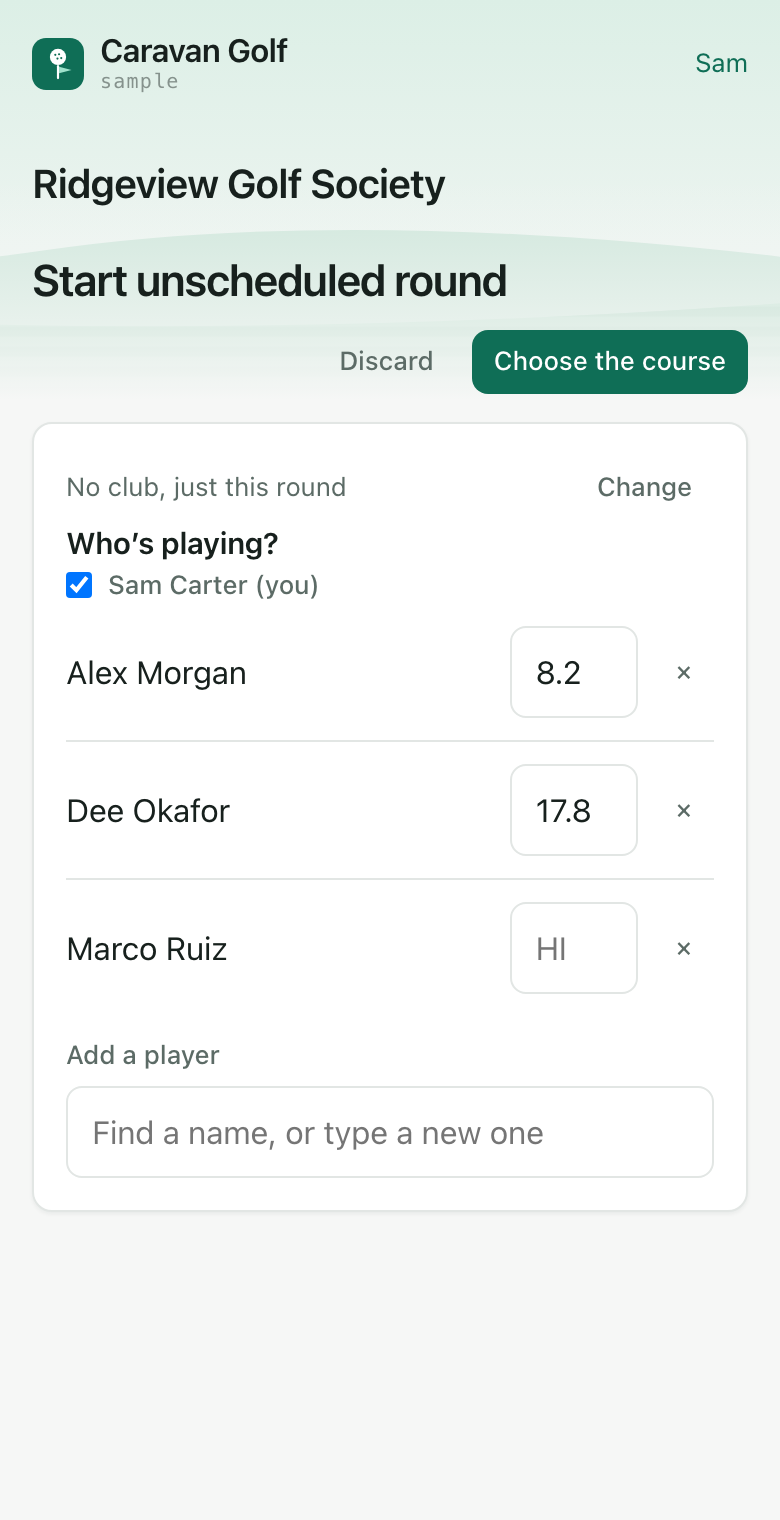
On the first tee with friends? Just pick the players and the course. We’ll set everything else up for you, and you’re keeping score in a minute. No club, event or setup needed first.
- No club needed
- Score in a club you’re in, start a new one as you go, or choose No club, just this round.
- Any course
- A course the app doesn’t have yet comes down with its scorecard as you choose it, every nine included.
- Everyone in the group
- Share the scoring link: each player keeps their own card, or one person keeps the whole group’s.
- Live leaderboard
- Gross and net as the round goes. Anyone can follow in a browser, with no account.
- Back to it any time
- Your round waits on the home screen with a Start scoring button, all day.
- Ready for next time
- Start a club on the way and its players and course are there for your next round, or your first event.
For the CGO
The CGO (Chief Golf Organizer) runs the club: who organizes, how money works, and how the club looks.
- Start a club in minutes
- Sign up and your club comes set up, with a checklist that walks you through the rest.
- Choose your organizers
- Invite organizers and other CGOs, or give the role to somebody already in the club. Their invitation closes by itself.
- Every club in one place
- Run more than one club? See them all together, and open any one to run it.
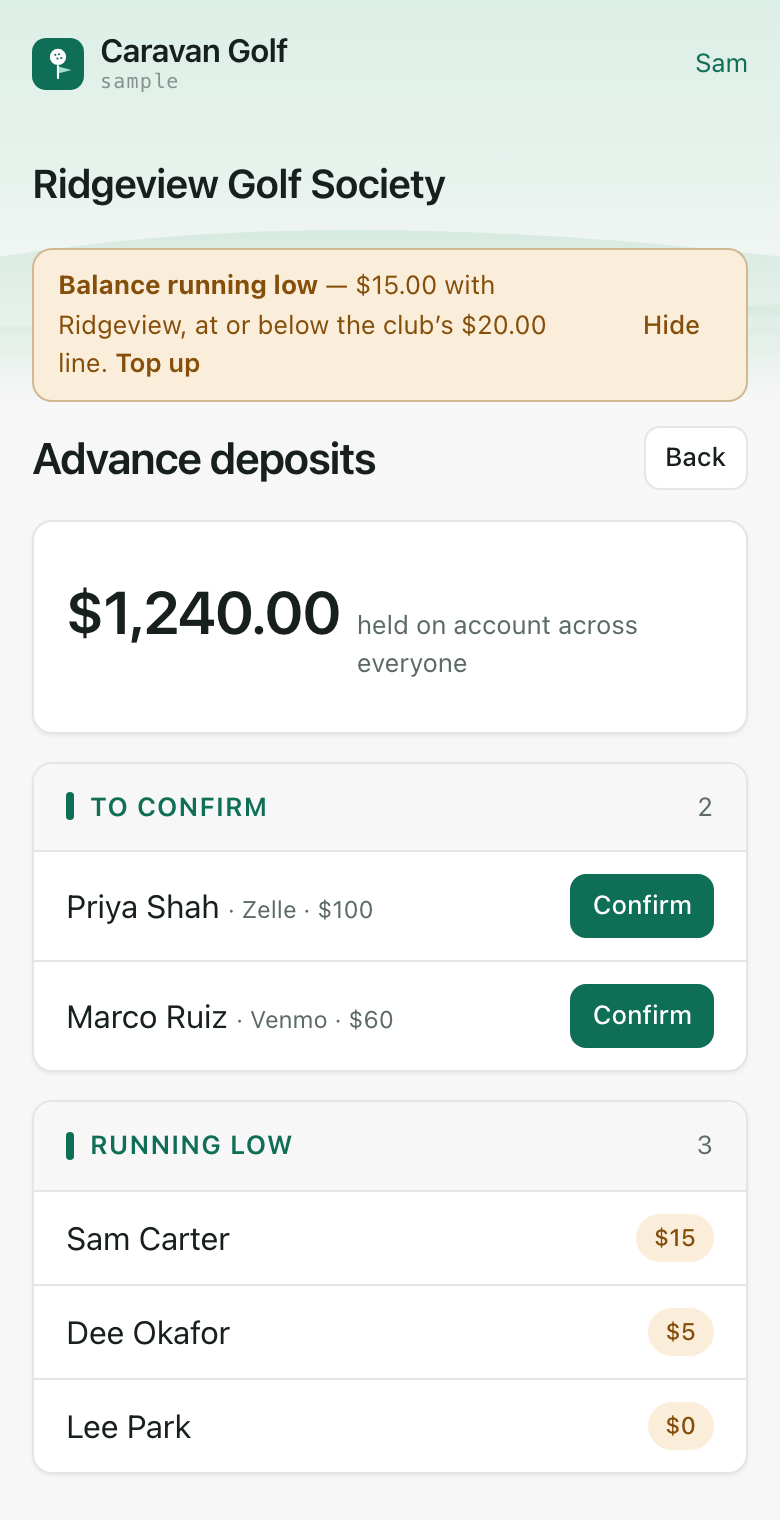
- Set the balance rules
- Choose how low a player’s advance balance can go before the app reminds them to top up.
- Keep a financial journal
- See all the money your club knows about, on a balance or not: who paid, for which event, who collected it, and each player’s running balance. Filter it, copy it, and choose whether your organizers can see it.
- Track advance payments
- See what everyone holds on account, confirm money as it arrives, and see who is running low.
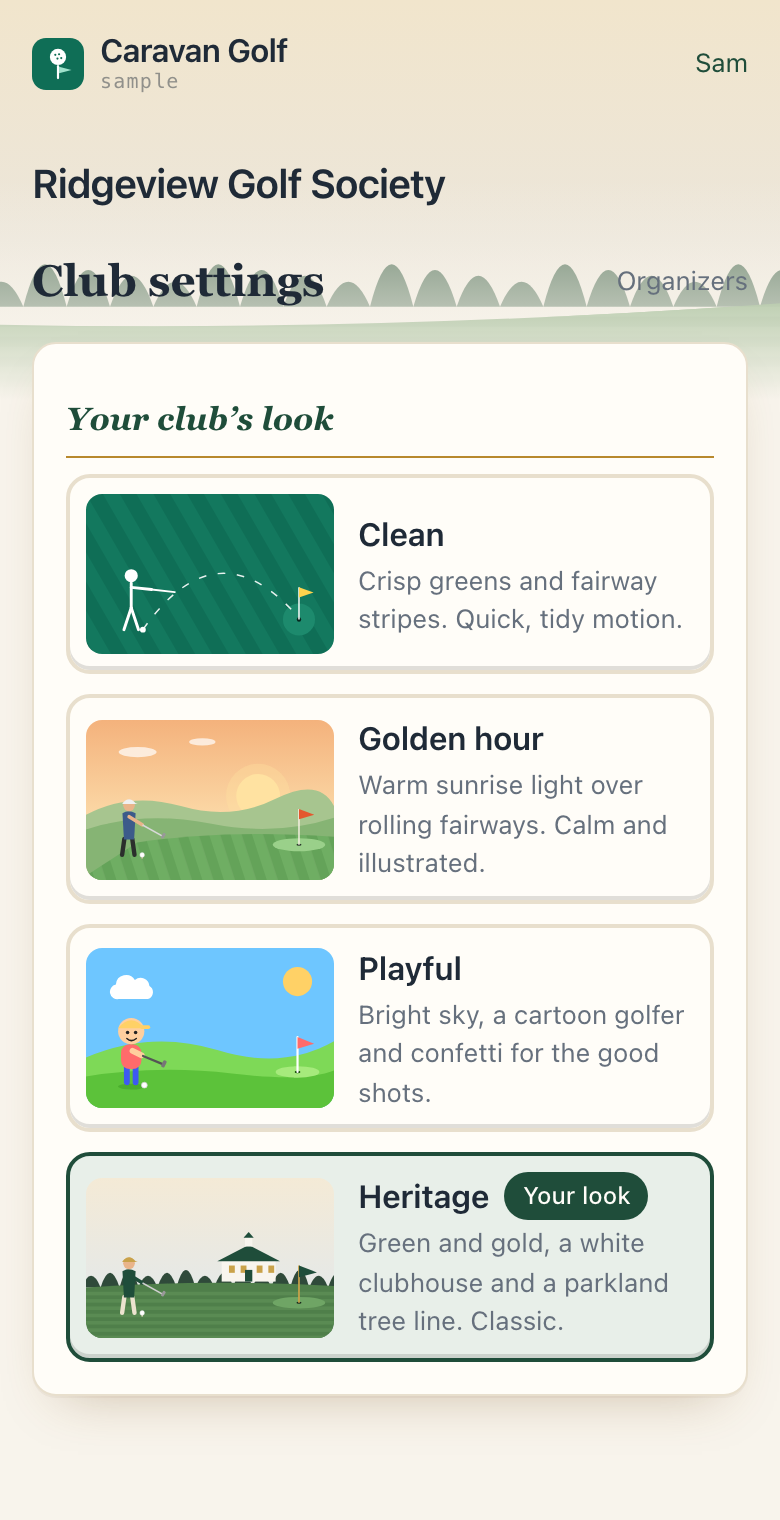
- Your club’s look and branding
- Pick one of four looks, or none, and add your club’s logo and main color.
For organizers
Organizers set up the events and keep the list, the money and the scores straight.
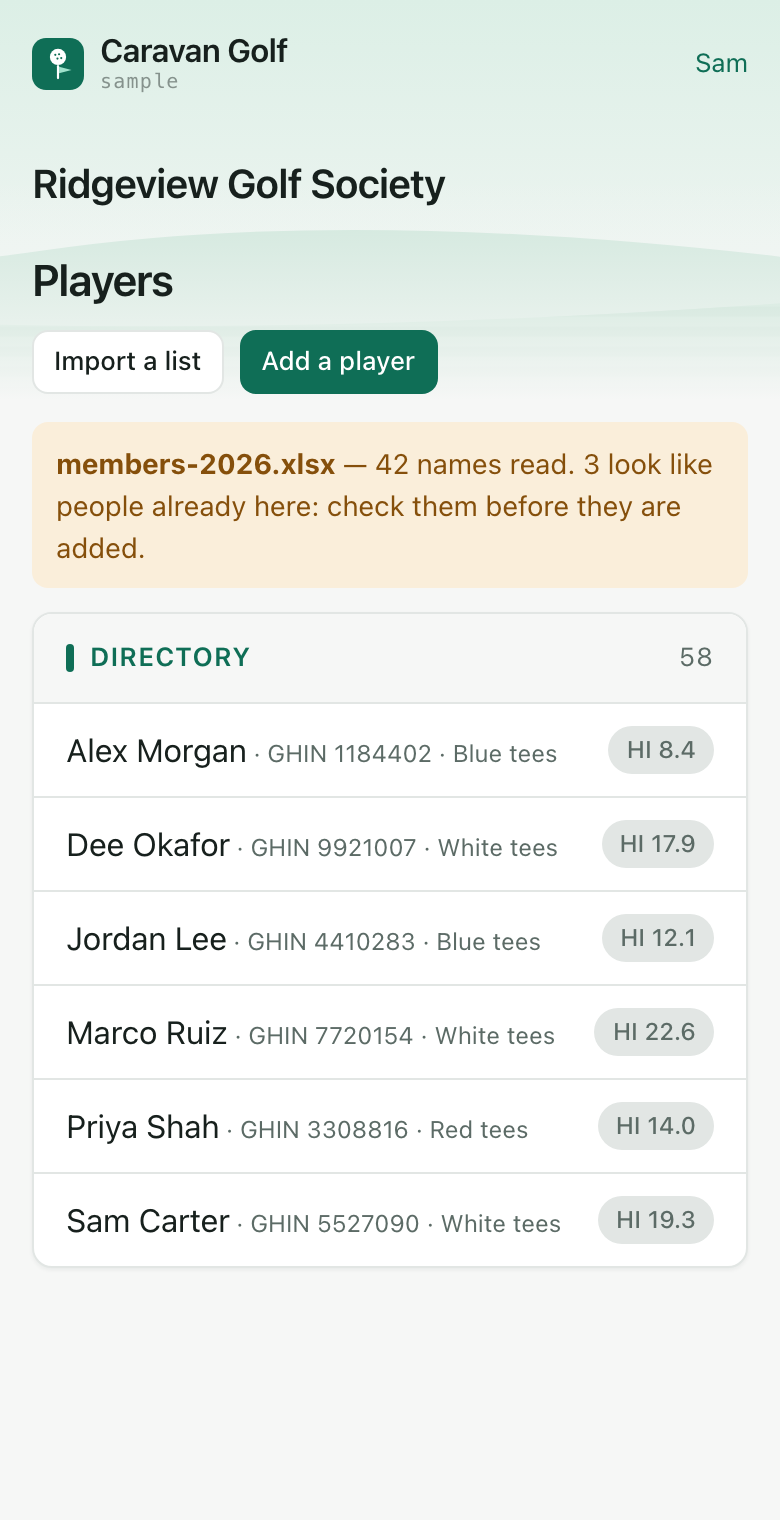
- Add players your way
- One at a time, or import your whole list from a spreadsheet (.xlsx or .csv). The app works out which column is which and asks when it isn’t sure.
- No duplicates
- People who look like players you already have are flagged before they’re added, and two records of one person can be merged.
- Handicaps and tees
- Keep each player’s GHIN number, Handicap Index and usual tees.
- Events that fill themselves
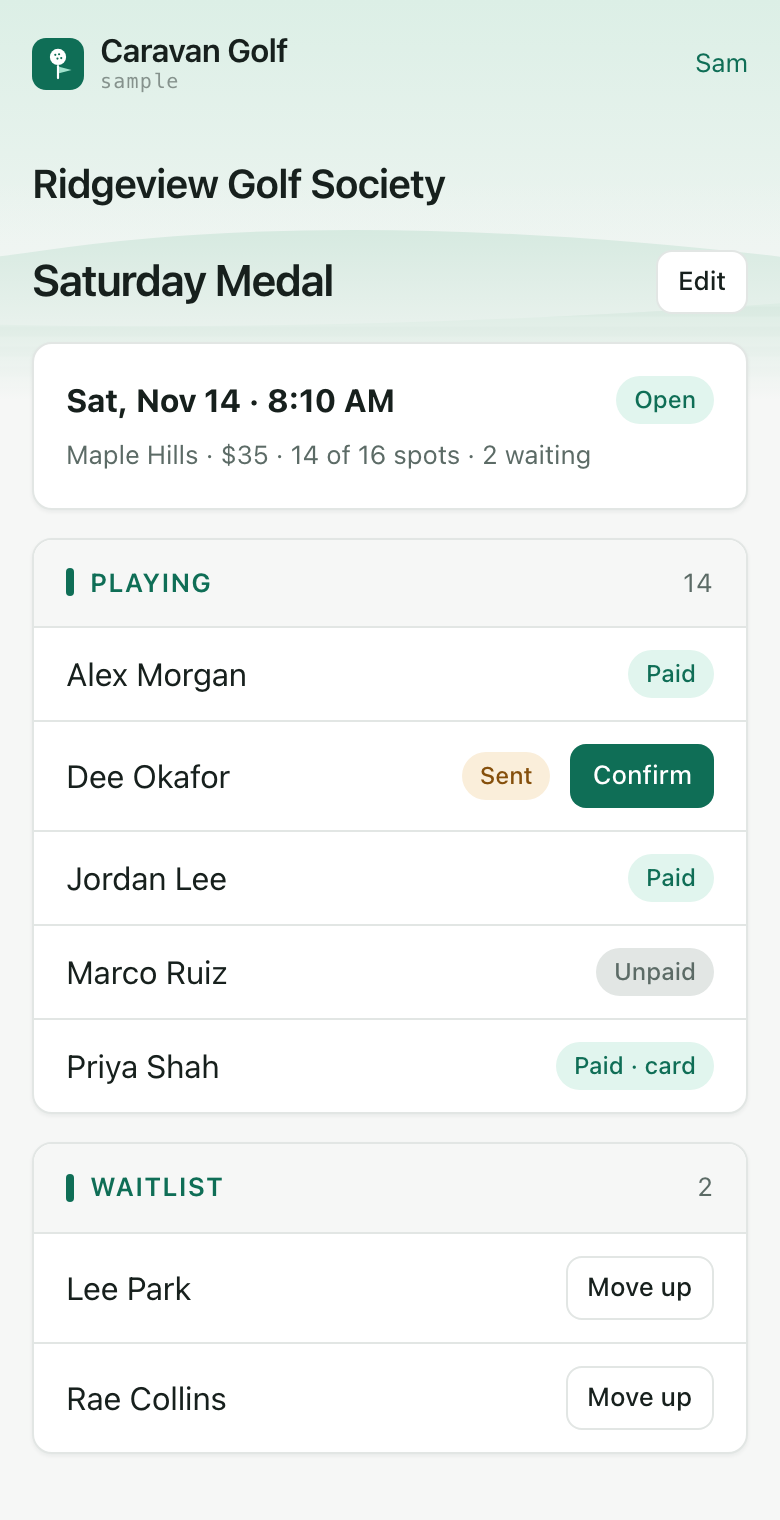
- Set the date, course, fee and number of spots, and share one link. Once it’s full, new sign-ups join a waitlist and move up when a spot opens.
- Next event from the last
- Start next week’s event from last week’s: the players, rounds, games and money settings come along, and you change only what’s different.
- Who has paid, at a glance
- Players tap “I’ve sent it” and you confirm. More than one person collecting? The app shows who received what.
- Spots for others
- Put a player down yourself, even pay for their spot; they can claim it later from their own phone.
- Messages ready to send
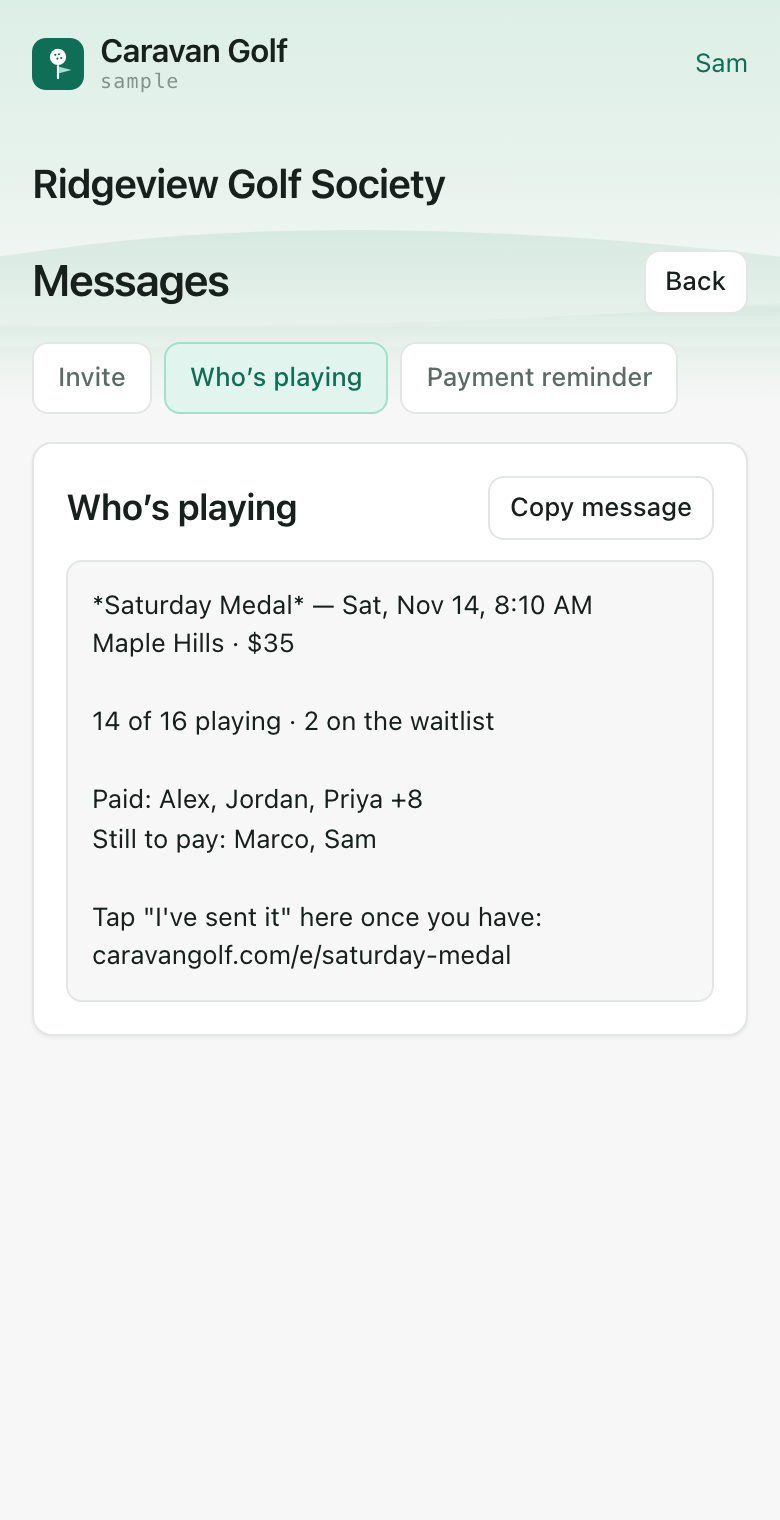
- The invitation, who’s playing, a spot opening up, payment reminders and cancellations, written for you. Copy them into WhatsApp or any group chat.
- Courses in minutes
- Search for your course — even if nobody has added it yet, it will most likely turn up. Not there? Create it yourself, and the app can read the details from a photo of the printed scorecard.
- Scores ready for GHIN
- When the round closes, download a sheet of everyone’s scores for posting to GHIN, including an SCGA format.
Pairings and tee times
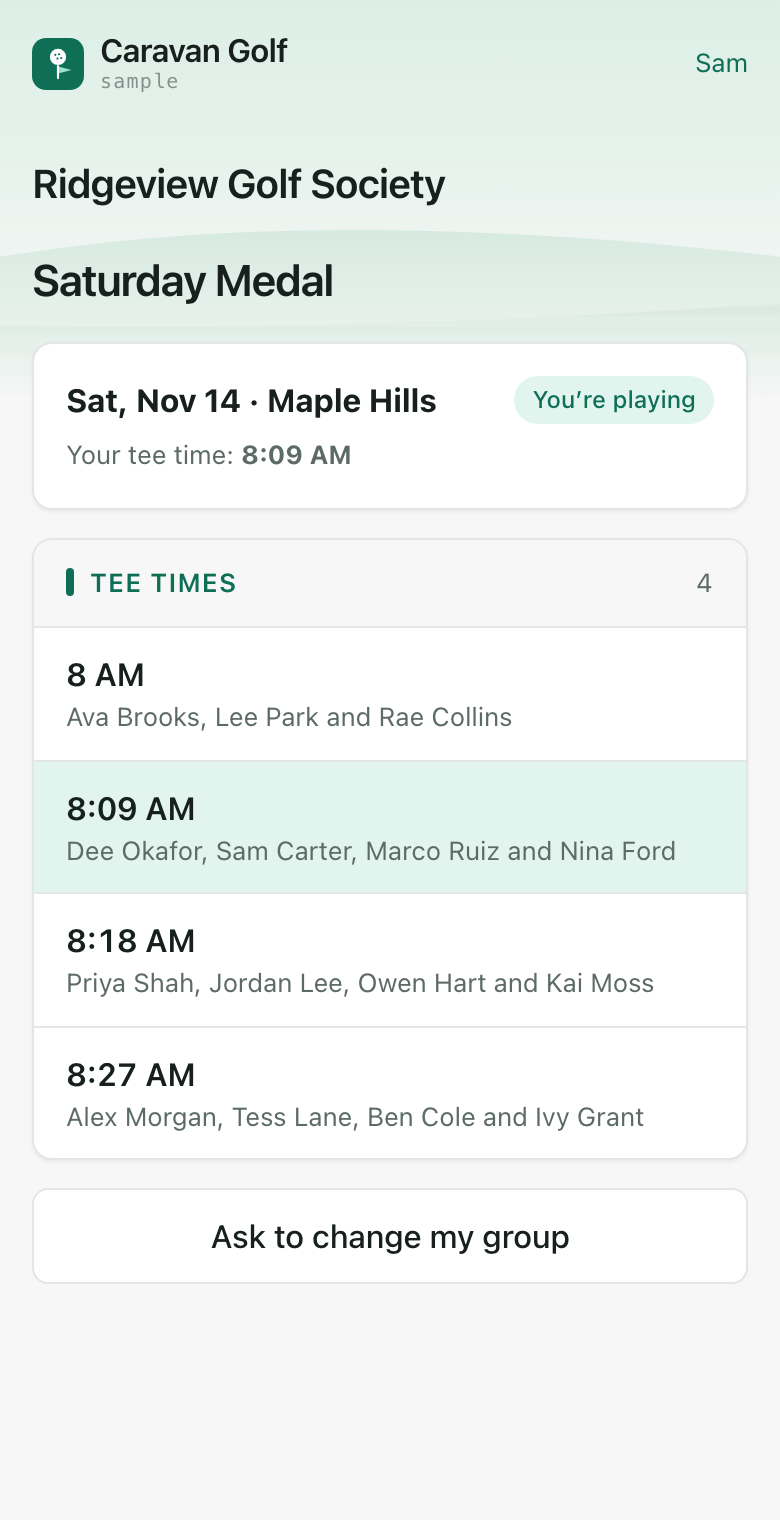
Groups and tee times for any event, built in a tap and released when you’re ready.
- Built for you
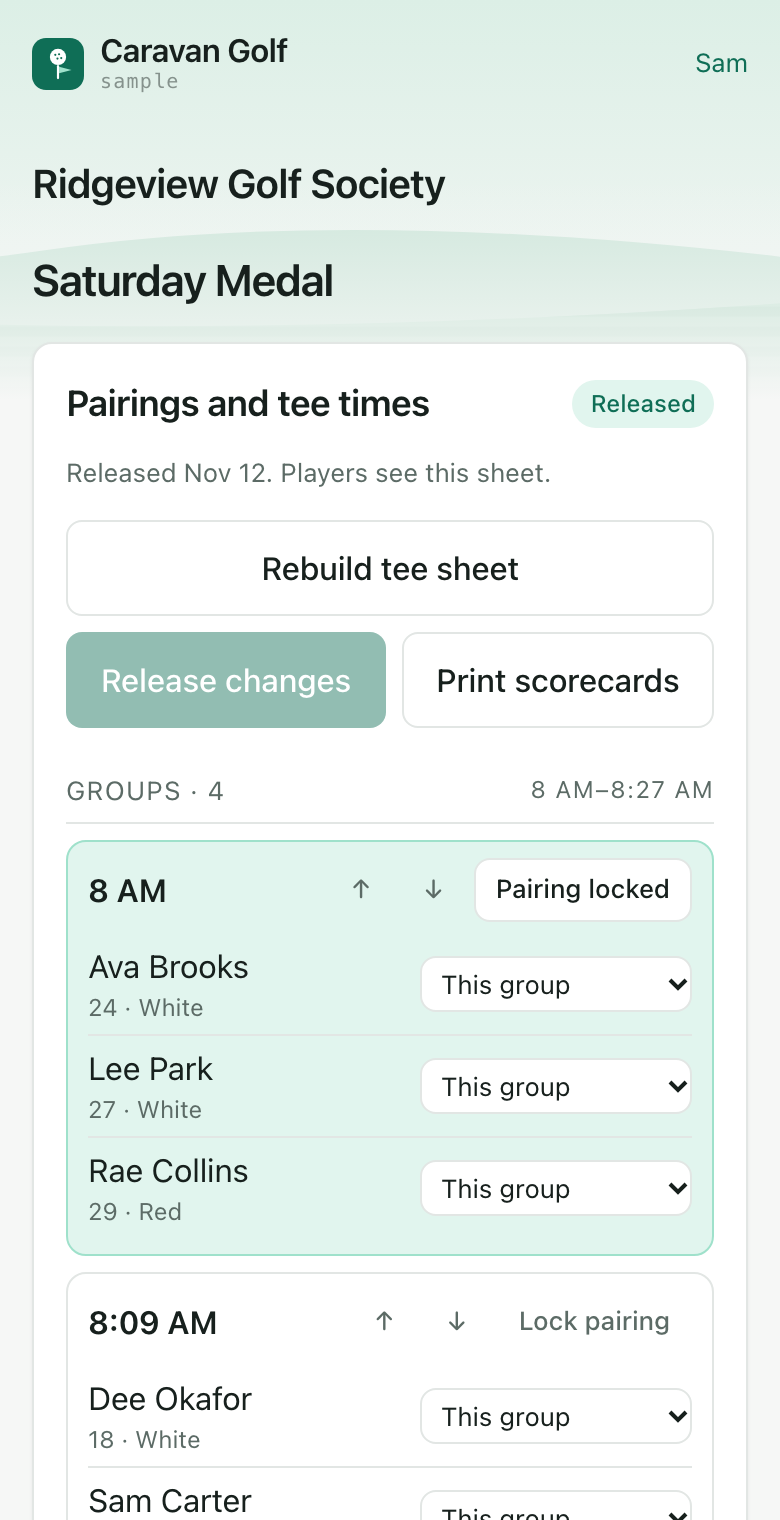
- Caravan Golf puts the field into foursomes and threesomes and gives each a tee time. Choose Quicker play or Social play.
- Starts your way
- One tee, the 1st and 10th together, or a shotgun, with your first tee time and gap.
- Locked pairings
- Lock a group and it stays together through every rebuild.
- Players can ask
- Players ask to move, suggest a group, or say they’ll play anywhere. You approve or decide otherwise.
- Dropouts handled
- The rest of the group stays together, and the app proposes a replacement.
- Release when ready
- Players see nothing until you release it. Later changes notify only the players they affect.
- Excel both ways
- Download the tee sheet, rearrange it in a spreadsheet, and import it back.
- Printed scorecards
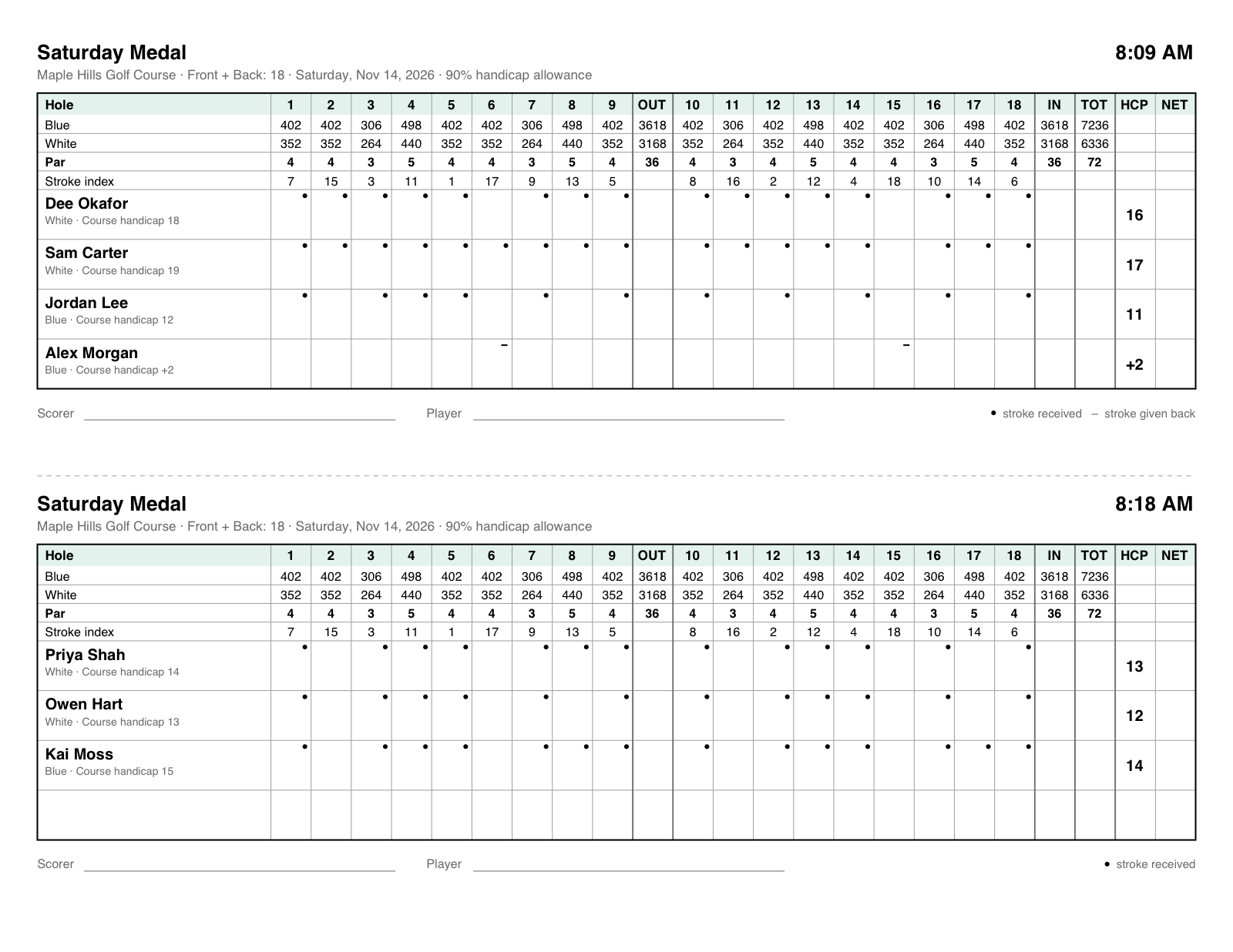
- A card for every group: tee time, yardages, par, stroke index and every player’s strokes. Print it or share the PDF.
For players
Players simply need to open the link, take a spot, and show up to play.
- Sign up from the link
- Take a spot, join the waitlist, or drop out, right from the link in your group chat.
- Interest lists
- Ask your club who wants to play on a date, in place of a poll in the group chat. Anybody can start one; members answer Yes, No or Maybe. A list that repeats every week publishes itself from a template.
- Pay the way you already do
- Zelle, Venmo, Cash App or PayPal, straight to the organizer: their details and the amount are right there, and most apps open with the amount filled in. Card or bank payment in the app is optional, and goes straight to whoever collects card payments for the club.
- Keep a balance
- Pay ahead — by card in the app, or however you usually pay — and each event comes out of your balance. When it runs low you get a reminder, and you can hide it for now, for today or for a week.
- See every transaction
- All your payments are in one list across every club, with your running balance. Filter by club, or copy the list to use however you like.
- Score on your phone
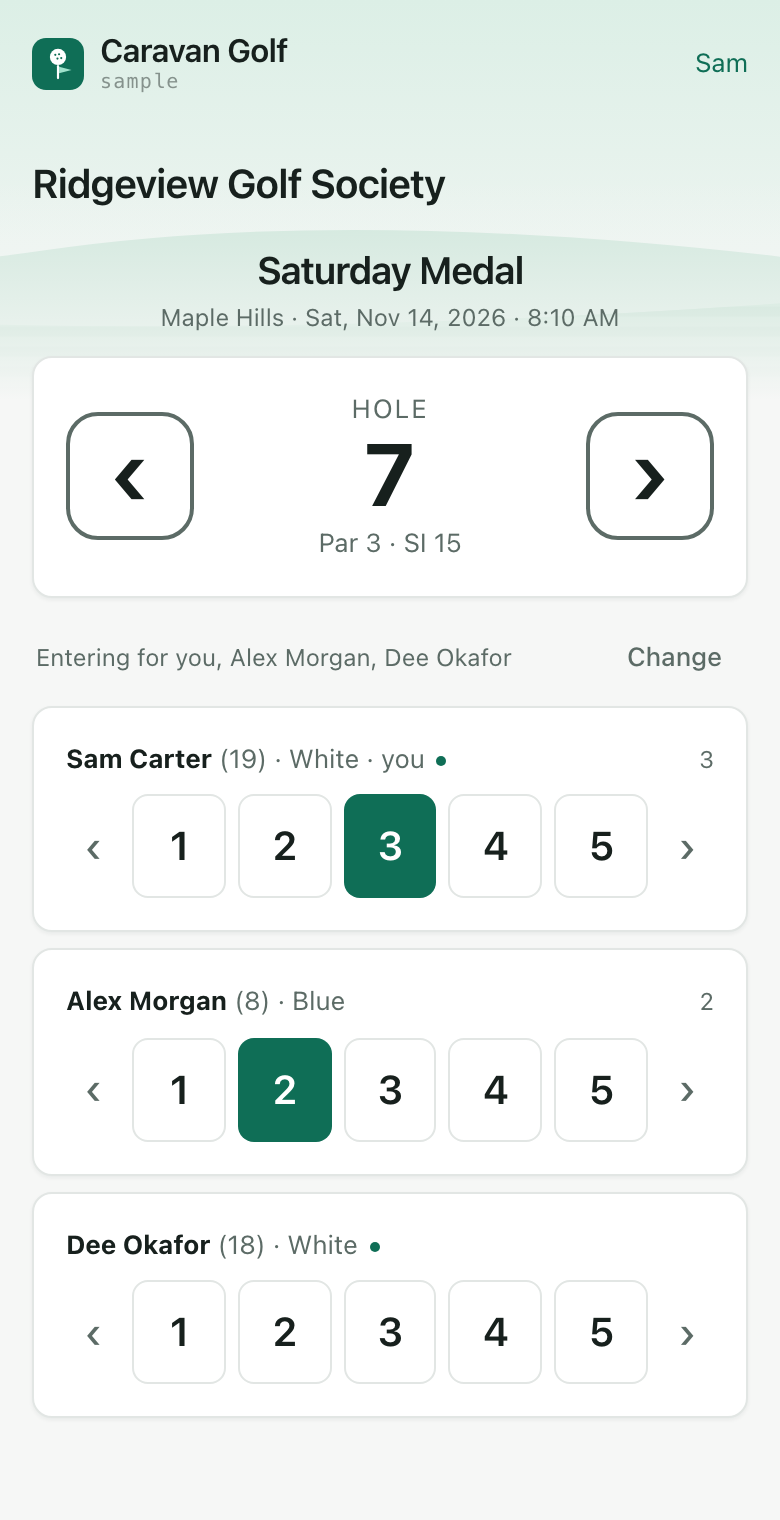
- Enter scores hole by hole for yourself or your group. No signal on the 12th? Scores are saved on the phone and sent when you’re back in range.
- Start scoring at tee time
- Five minutes before your tee time, one button on the home screen starts your scorecard, and a notification says it’s time. Everyone else gets the live leaderboard.
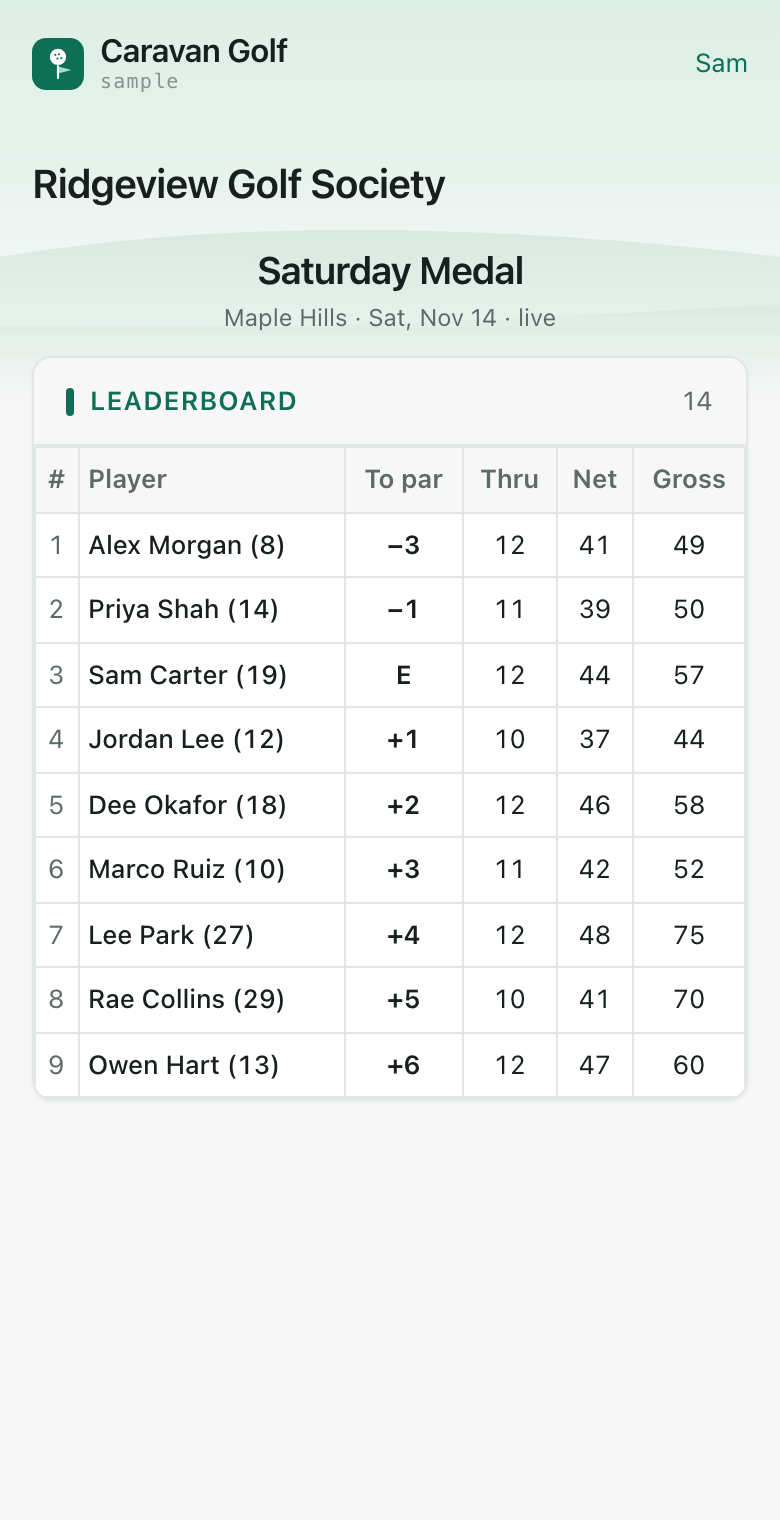
- Live leaderboard
- Gross and net, to par and holes played, refreshing through the round as every group scores. Anyone can follow it in the apps or in a browser, with no account.
- Notifications
- Get a notification when you’re added to a competition, so you find out on the tee and not at the bar.
- iPhone, Android and the web
- The iPhone and Android apps are almost ready for the App Store and Google Play. The web app works today: add it to your home screen on any phone, or use it on a computer.
- Mix and match
- CGOs, organizers and players can each use the iPhone app, the Android app or the web app, in any mix, and switch any time. Everyone sees the same events, payments, tee times and scores, as they happen.
- Light or dark
- Follow your phone’s setting, or choose light or dark in your profile.
Competitions
Run as many competitions in one round as you like. All are worked out from the same scorecard, gross or net, with handicap allowances, on any holes you choose. Try the free skins calculator and Nassau calculator, which use the same engine.
- Leaderboard
- Gross and net, to par, as the round goes.
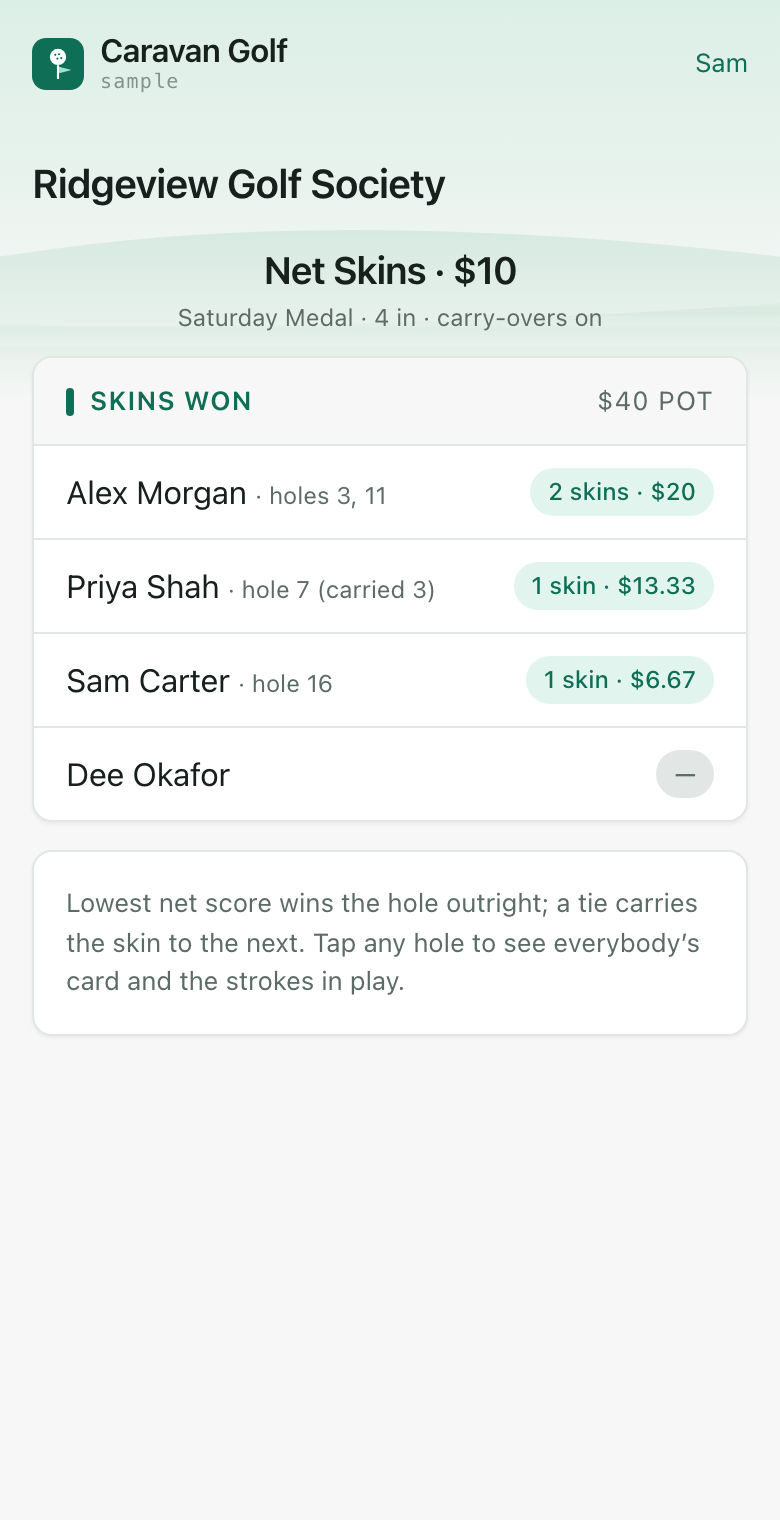
- Skins
- Lowest score wins the hole outright; ties carry over if you want them to.
- Stableford
- Points against par on every hole, so one bad hole doesn’t ruin a round.
- Match play
- Singles or four-ball, hole by hole, with the match standing always up to date.
- Nassau
- Front nine, back nine and the full eighteen: three bets made once on the first tee.
- Points
- Points on every hole by finishing order (5, 3, 1 in a three-ball, the game called Nines), settled on the difference from level.
- Low Ball–Low Total
- Low ball and low total, two points a hole, side against side.
- Team competitions
- Two teams, several games at once: Best-ball match, Best-ball Nassau, Low Ball–Low Total, Team skins and Team Stableford.
- Agreed strokes
- “I’ll give you three on the back nine.” Any competition can use the strokes your group agrees on instead of handicaps.
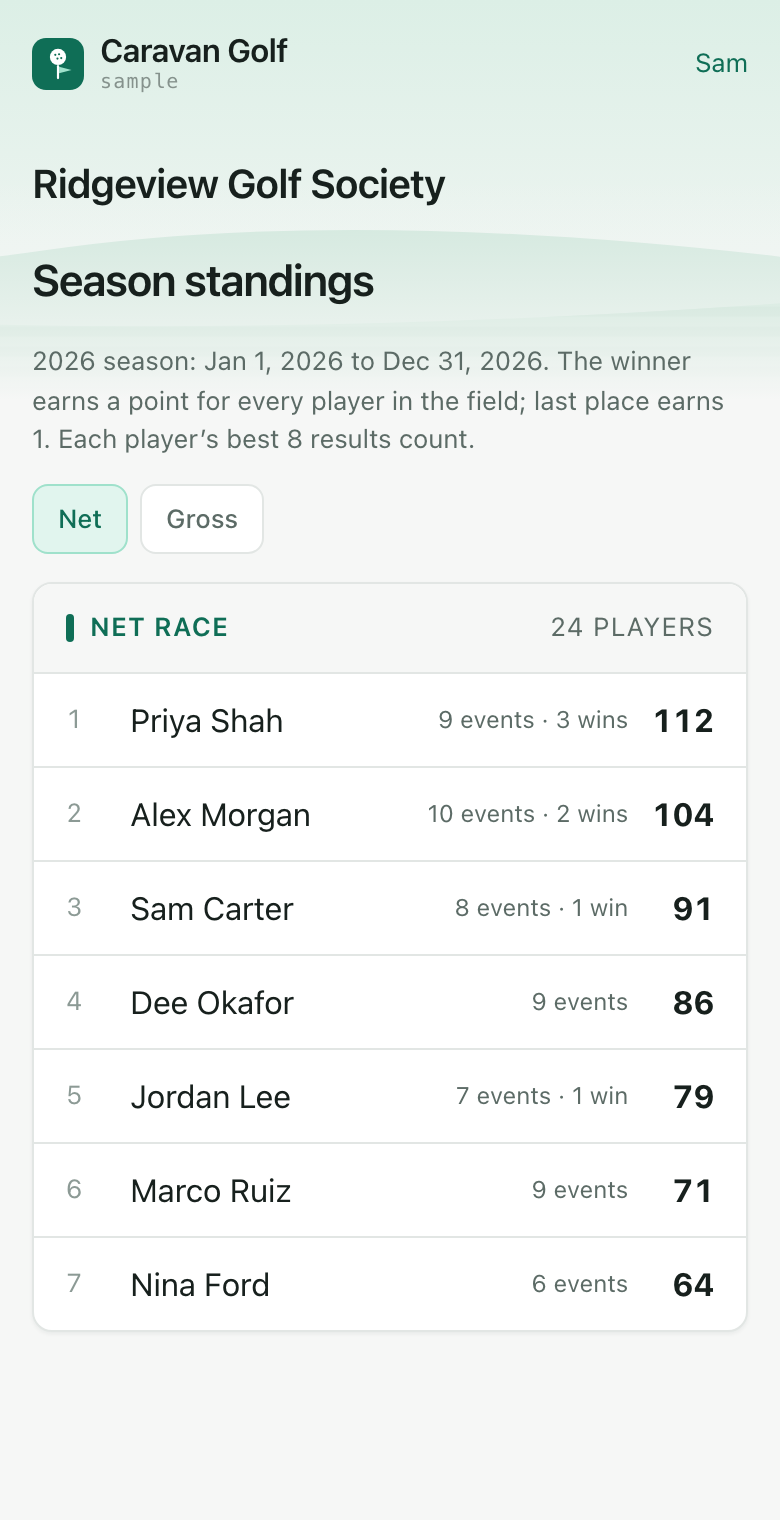
- Season standings
- A points race across the club’s events, net and gross side by side, updated as each event closes.