
Getting in
Can I just keep score for a round with friends?
Yes, in about a minute. Press Start unscheduled round on the home screen, choose No club, just this round (or your club, or a new one), add the players and pick the course. A course the app doesn't have yet comes down as you choose it. Share the scoring link with the group, and anyone can follow the live leaderboard without an account. More
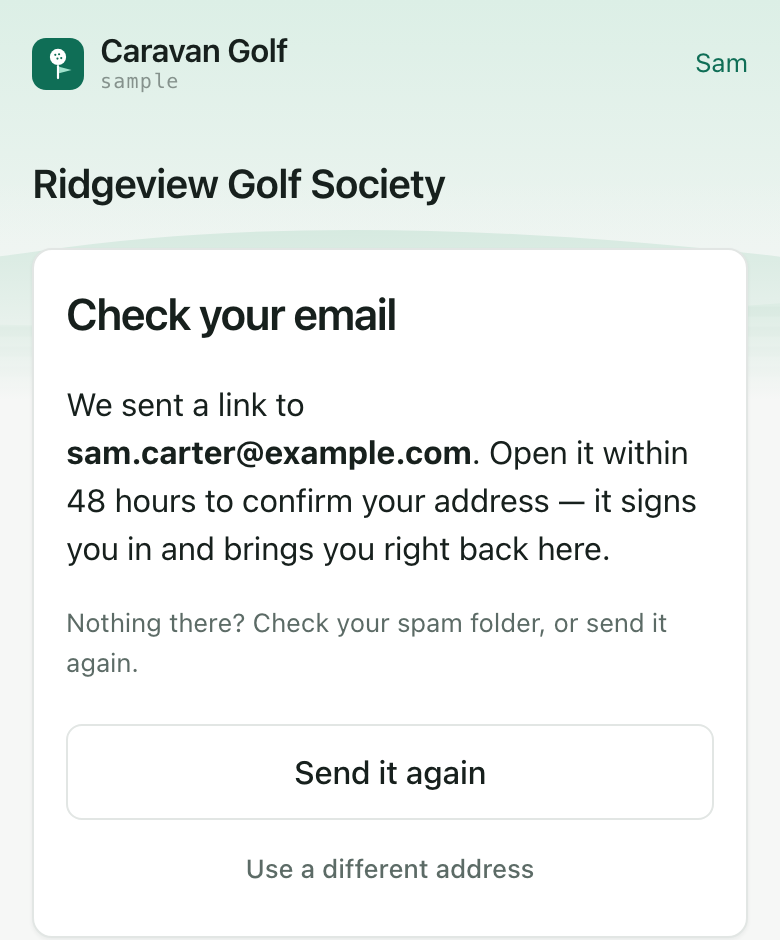
I didn't get the confirmation or password email
Look in Spam or Junk, especially on mail.com, GMX, Yahoo and Outlook. Mark it "Not spam" and add [email protected] to your contacts. Links work for 48 hours. If one expired, sign in again and the app sends a fresh one. An organizer can also email you a link or give you a temporary password. More
I can't sign in
Use Forgot your password? on the sign-in screen. No longer have that email address? Ask an organizer: they can change your email or issue a temporary password from Players → Contact & sign-in. More
Is there an iPhone or Android app?
Almost: the iPhone and Android apps are nearly ready for the App Store and Google Play. The web app works today, in any browser, and can be added to your phone's home screen. Use any of them, in any mix: everyone sees the same events, payments, tee times and scores. More
Do I need an account to watch the leaderboard?
No. Anyone with the event's link can follow along, in a browser or in the apps. You need an account to take a spot, pay, or keep score. More
How do I delete my account?
On Me, at the bottom, choose Delete my account…. Your sign-in and contact details are deleted; your name stays on past events and payments. More
How do I join my club?
Create your account; home screen then lists the clubs on Caravan Golf. Tick yours and press Join. Already in one? Press Clubs, then Join a club to add another, or Start a new club of your own. More
How do I become an organizer?
By invitation from your club's CGO. Sign in, then open the invitation link. More
The app looks out of date on my iPhone
Open Me and press Update the app (or Refresh at the top). It fetches the newest version fresh. The app also updates itself whenever you open it. More
Clubs and players
How do I add someone who's already on Caravan Golf with another club?
On Players, type their full name (last name spelled exactly), their email, or their GHIN number. They appear under "On Caravan Golf, not in your club" with where they play. Tap the person to add them to your club. More
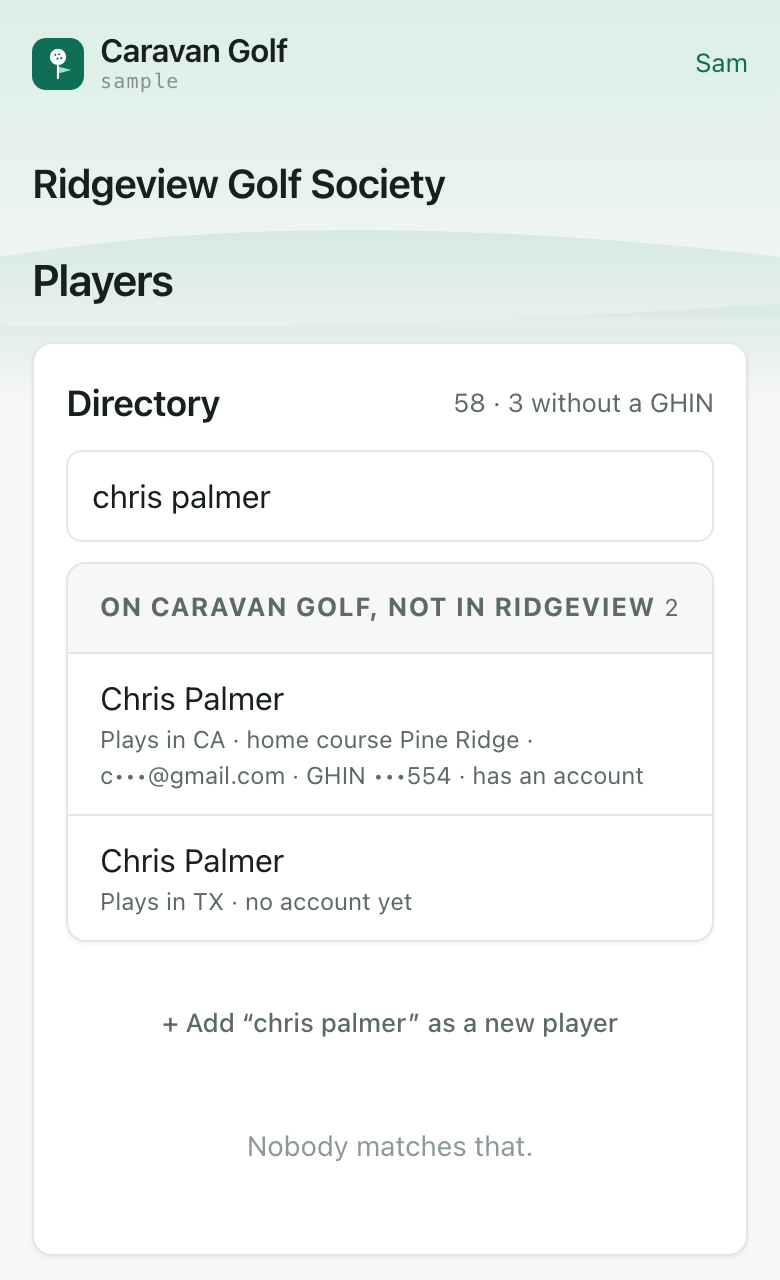
Someone appears twice in our list
Merge them: press Merge beside one, choose the other, then press Keep on the one to keep. Events, credit and their account move across. More
I'm in two clubs. How do I switch?
Use the club picker in the top bar, next to the app name. More
Money
Does Caravan Golf take a cut?
No. An event's money goes to the club's collector. Card payments add Stripe's processing fee on top, so the club receives the full price. The only money Caravan Golf receives is an optional gift. More
When does the beta end, and what changes?
The beta ends on December 31, 2026. Everything you use today to run events stays free for good: sign-ups, payments, tee times, scoring, competitions and standings. Only the optional upgrades become paid, and we will announce their prices at least 30 days before they apply.
Start your club during the beta and the upgrades stay free for longer: sign up and complete your club's first event by December 31, 2026, and every upgrade stays free for your club through December 31, 2027. An event counts once it has been played and its scoring closed. See pricing
Who holds my card details?
Stripe. Card and bank details go straight to Stripe's own form; Caravan Golf never sees, handles or stores them. More
Will my balance be used without asking?
Only for events you accept, and only if Pay for events I accept from my balance is on (it is on unless you switch it off). Money that arrives later is offered to events you still owe, and is used only when you press Pay. More
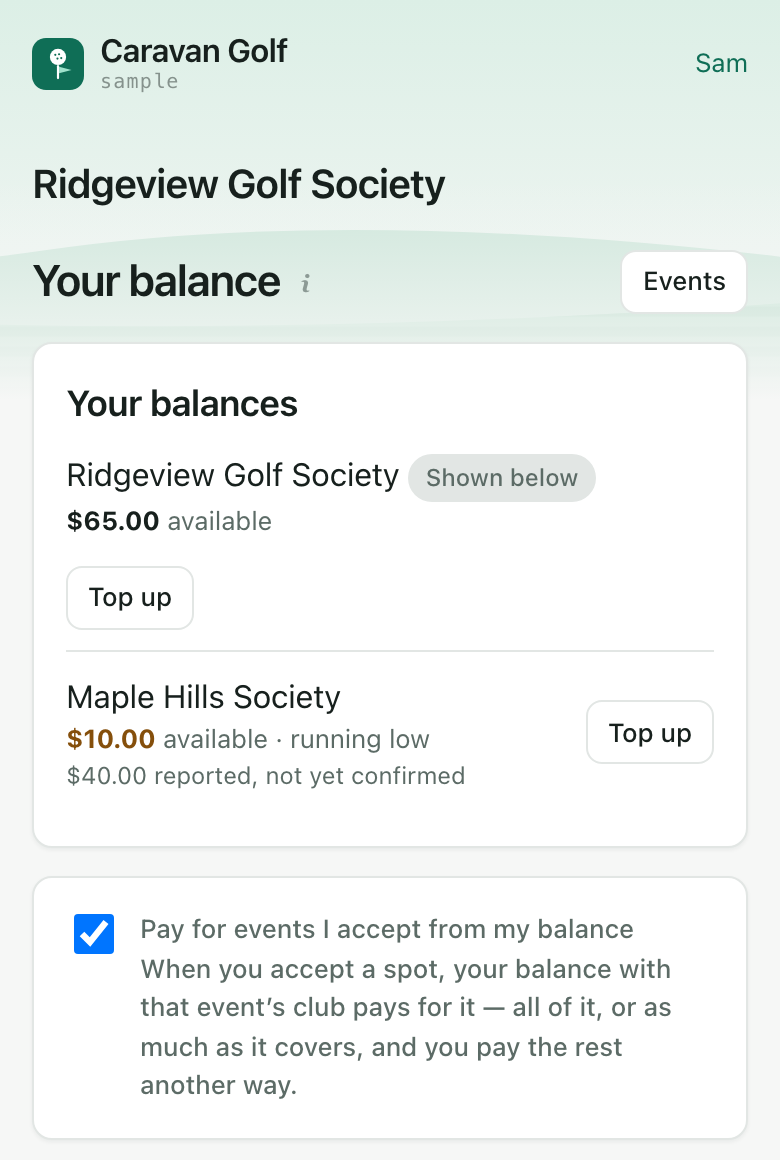
My balance doesn't cover the whole event
It pays what it can, and you pay the rest another way. Every payment option asks only for what is left. More
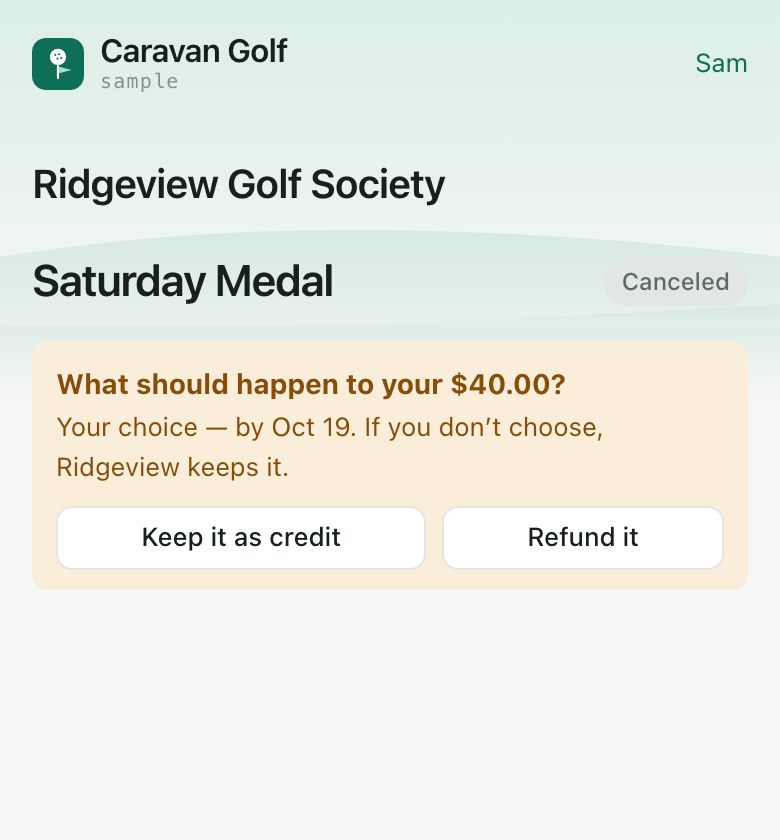
The event was canceled. What happens to my money?
Money from your balance goes straight back to it. For the rest, the event's terms decide: credit, the club keeps it, or a refund. If there's a choice, you get a notification and have 14 days to choose. More
Can I get a gift to Caravan Golf back?
No. Gifts are non-refundable, even if the event is canceled. If you were charged for one you didn't mean to make, email [email protected]. More
I paid by Zelle but the app still says I owe
A direct payment shows as sent until the collector confirms it arrived. Ask them to confirm it. More
Events and tee times
How do I add a lot of players at once?
On the event's roster, under Add players, press Several at once. Paste the replies from the group chat and the app matches each name to your club's players, or check them off from the club's list. Same players as… checks everyone from another event. More
Can I set up an event from one we've already run?
Yes, from any event, past or upcoming. On the event, choose Use as a template, or on Schedule an event pick it at the first question. Its course, money, rules, rounds and co-organizers are filled in; change anything and pick the date. Players and competitions aren't copied. More
We won't know which nines we're playing until we get there
Under Which holes, choose Decided on the day. Players can still sign up and pay. When the club tells you, open the event and choose the round under Which holes. Do it before the first group tees off, because nobody can score until the holes are chosen. More
Why can't I move a played event to a future date?
Its round and results would turn into a game that hasn't happened. You can still correct the date to an earlier day. To run it again, use it as a template. More
How are the groups decided?
Caravan Golf builds the groups and tee times with its own method, in the pairing style you choose: Quicker play or Social play. You can lock, move and rearrange anything before you release it. More
When do players see their tee time?
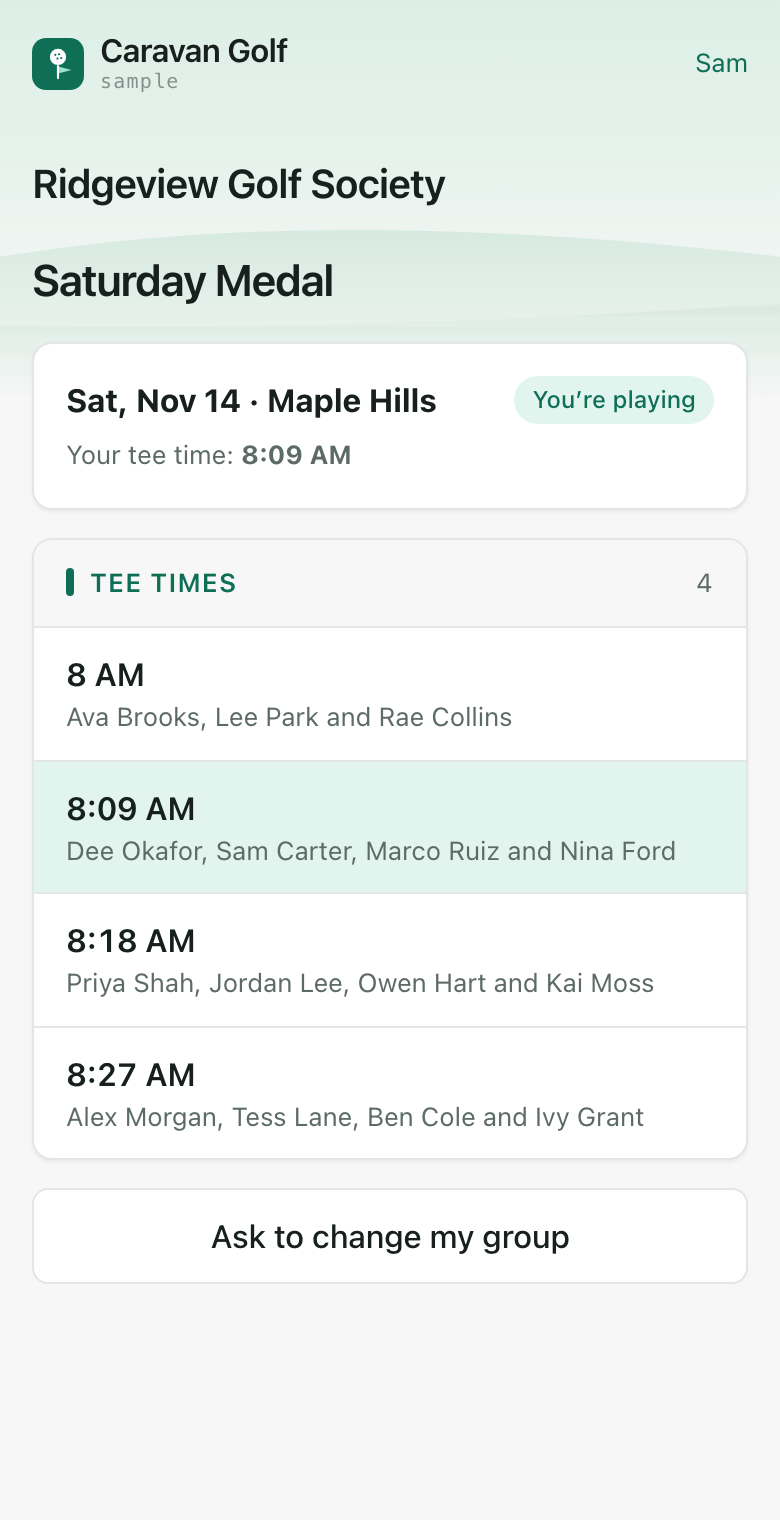
When you release the tee sheet. Each player is told their tee time and who they play with. After later changes, Release changes tells only the players whose group or tee time changed. More
How do I keep a group's players together?
Press Lock pairing on the group. A locked pairing stays together through every rebuild and import; players can't ask to leave it. More
Can I work on the tee sheet in Excel?
Yes. Press Download for Excel (in the iPhone and Android apps, Share for Excel, and send the file to your computer). Change the Group numbers and tees in Excel on a computer, save it as CSV UTF-8, and press Import from a file, on a computer or a phone. You see a summary before anything changes. More
How do I keep locked pairings when I edit in Excel?
Leave their Pairing locked and Group mate cells alone. Every player in a locked pairing has Yes under Pairing locked and the others named as group mates, so the group stays together even if you sort its rows apart. To move it, change the Group number on all of its rows. More
I changed a player's group in Excel, but they stayed in their locked pairing
That's the lock at work. To move one player out, clear their Pairing locked and Group mate cells and remove their name from the others' Group mate cells. To move the whole group, change the number on all of its rows. More
My import didn't go through
Nothing was changed. The app lists what to fix, usually a name spelled differently from the roster, a group of more than four, or tees the course doesn't have. Fix it in the spreadsheet and import again. More
Can I print scorecards for each group?
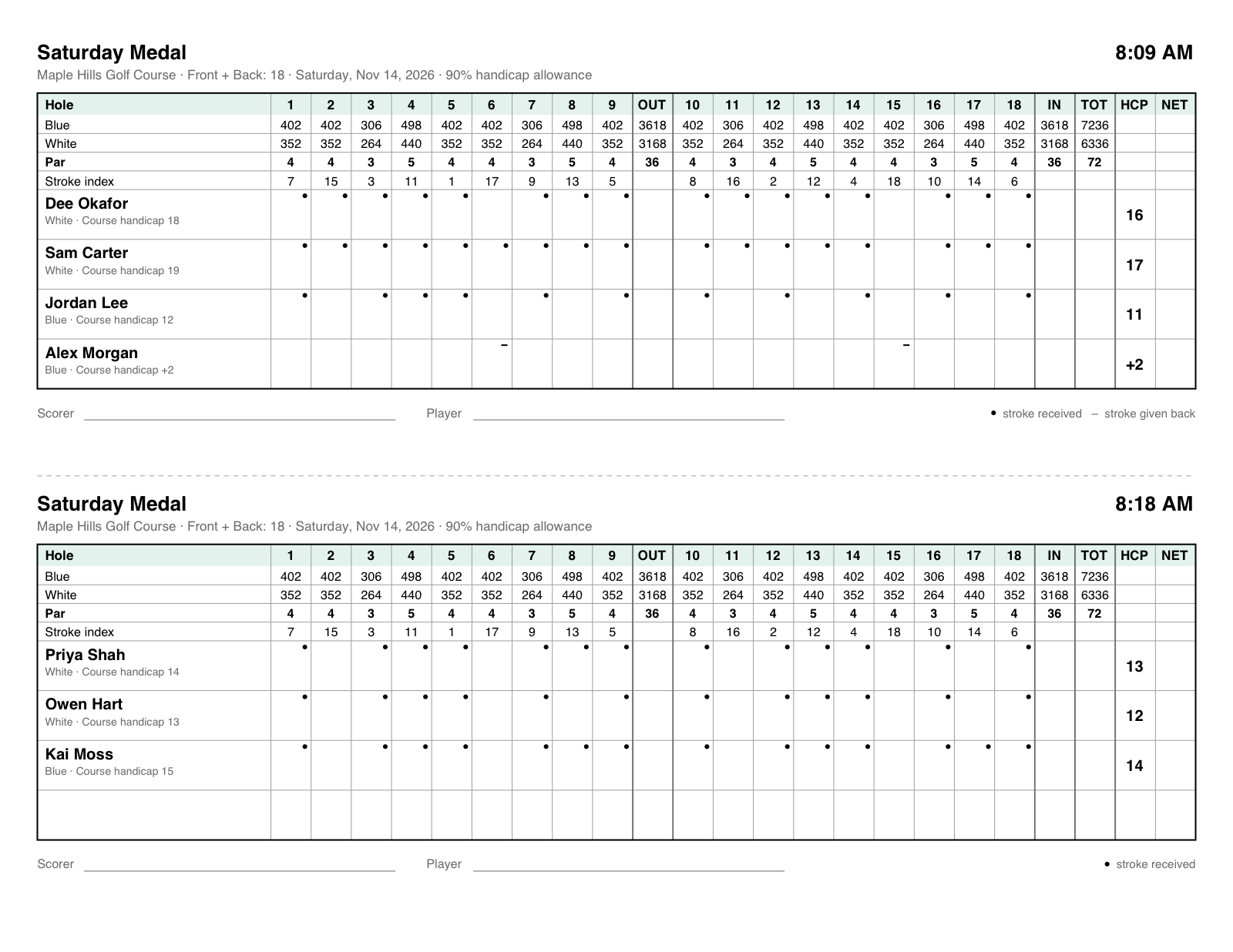
Yes. Once the tee sheet has groups, press Print scorecards under Pairings and tee times. Each group gets a card with the course, holes, date and tee time, every hole's yardage, par and stroke index, and each player's handicap with a dot on every hole where they get a stroke. Print them from your phone or computer, or share the PDF so they can be printed somewhere else, like the pro shop. More
How do I find out who wants to play?
Start an interest list. Open Interest lists, press Start a list, choose the date and publish it. Your club is notified, and you can paste its link in your group chat. Members answer Yes, No or Maybe, and everyone in the club can see who's in. More
How do I get the people from an interest list into the event?
Open the event's page and press From interest list, beside Add players. Check who to add and press Add. They keep their place from the list, and each is notified to pay. More
Do I need an account to answer an interest list?
Yes, but it takes a moment. Tap your answer on the list's link, and enter your name, email and a password. Your answer counts straight away; verify your email afterwards to sign in. More
Scoring and competitions
Will players be reminded when it's time to start?
Yes. Five minutes before each group's tee time, everyone in it gets a notification that opens the scoring screen. Without a released tee sheet, it goes by the event's start time. More
Can I enter scores with no signal?
Yes. Scores are kept on your phone and sent when the signal comes back. More
What's the difference between HI and CHI?
HI is your Handicap Index. CHI is your Course Handicap for these tees and holes, worked out from your HI. More
How are strokes given in a match?
Relative to the lowest handicap in the match: that player plays off scratch, and everyone else receives the difference. You can also enter strokes the group agreed. More
What team competitions can we play?
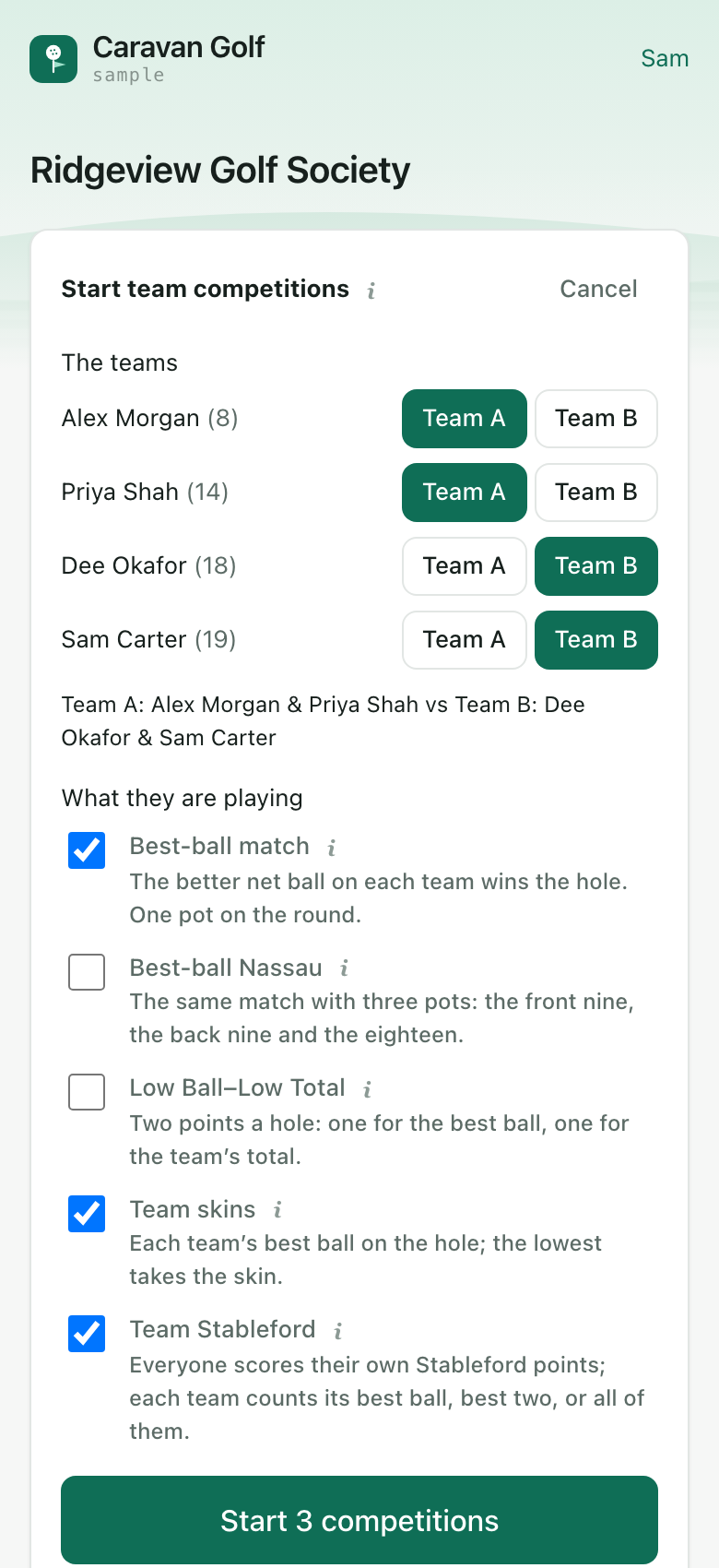
Best-ball match, best-ball Nassau, Low Ball–Low Total, team skins and team Stableford, all set up at once with Start team competitions. More
Why is a team format greyed out?
Only a Nassau, and only on a nine-hole round: there's no back nine to play it on. Uneven teams are allowed; the form notes where they tilt a game. More
How does the season points race work?
Every club event counts once its last round is closed. Players earn points by the season's rule, which the CGO chooses: by field size, by a points table, or Stableford points. Net and gross are separate races. More
Can an event be left out of the season?
Yes. Uncheck Counts for the season on the event. More
Who does the app pay out stakes to?
Nobody. The app works out who is up and down; players settle between themselves. More